I've long been annoyed at having to alt-tab and find the mute button (or even more the UNmute button during Teams calls or Slack Huddles) when I have another window open, also having to memorize the different shortcuts.
So when I heard about a Korg nanoKONTROL2 being used I thought I'd also want to try that. I bought mine at Hieber Lindberg in their shop in Munich for 55 EUR.
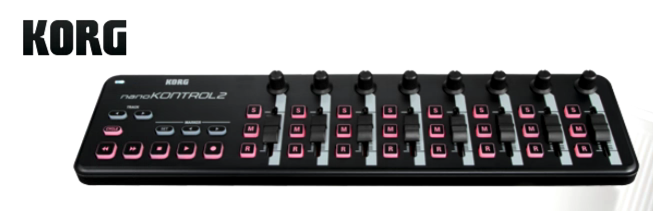
As I mostly wanted this for work first, this is about using macOS Tahoe.
First these are tools we need:
- Korg Control Editor
- MidiPipe
- Script Editor (preinstalled)
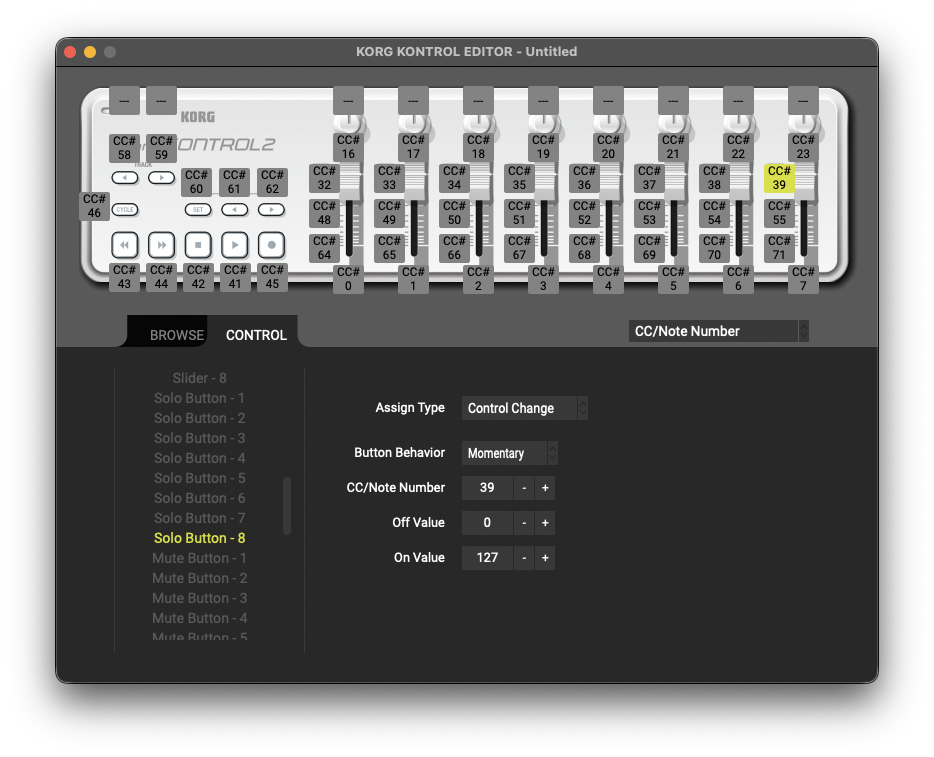
Korg Control Editor
Download and install the .dmg - I downloaded a
KONTROL_EDITOR_251.dmg that turned out to be version 2.5.1.2.
Midipipe
I installed this via homebrew:
brew tap nicowald/subtlesoft
brew install --cask midipipe
and then I found this forum thread which provided me with a good starting point but I ended up starting from scratch.
The idea is that you add one "MIDI in" tool, choose your nanoKONTROL as the input:
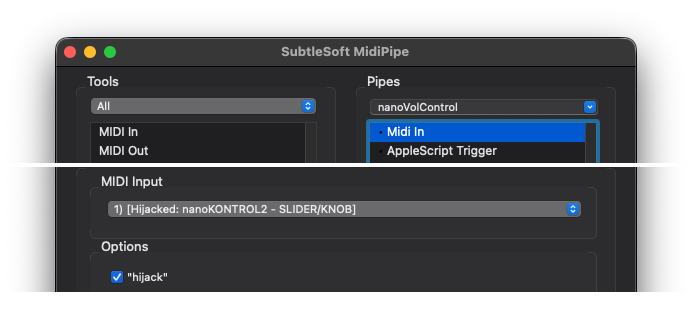
and then one "AppleScript Trigger" tool and run commands based on the MIDI inputs.
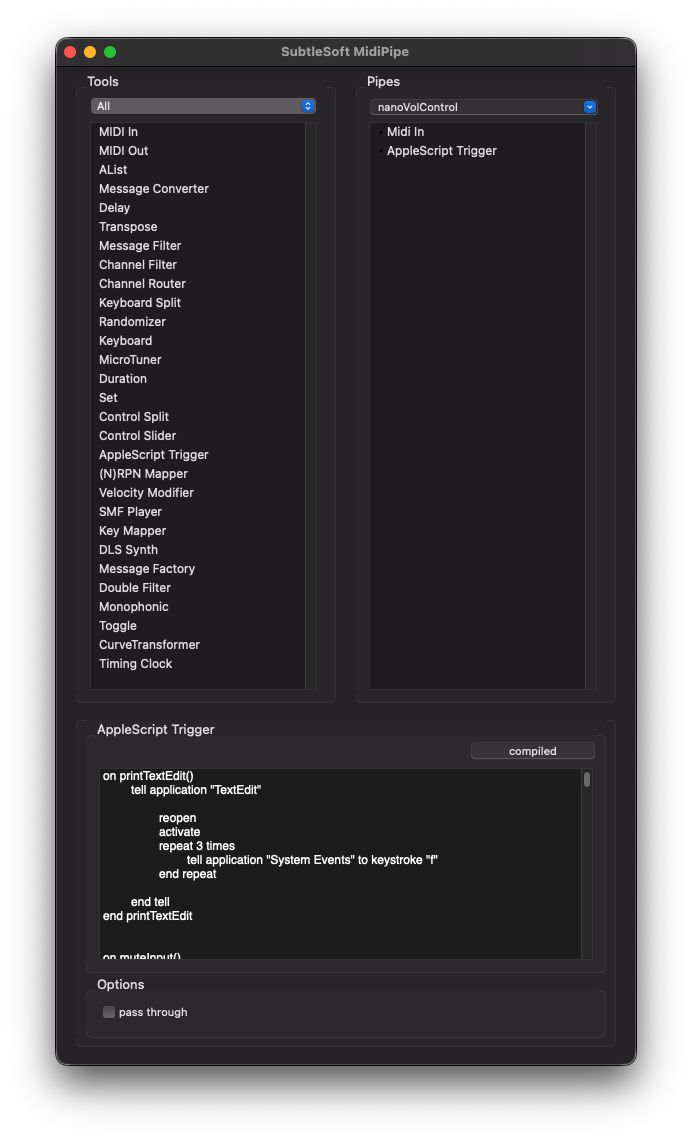
In theory that's it, but I ran into several quality of life problems with this application:
The editor component is like TextEdit and uses autocomplete and helpful 'fixes', so for example
it will replace every -- (a comment in AppleScript) into an — so to comment out a line
you have to type dash dash (wait a split second) escape and it has no syntax highlighting.
Then I tried calling my own scripts in ~/Library/Script Libraries/ but I ran into weird caching
issues, because the way MidiPipe works is that it compiles the script on first run and not on
deliberate save and it somehow did not include the latest library, but some older cached version.
So in the end I settled on writing my full script (with functions) in the macOS Script Editor for syntax highlighting (which is still a bit buggy) and linting, and then copy/pasting the full script into MidiPipe. This is the least nerve-wracking method I found, also to test small changes on their own.
So here's a very basic example how to do anything with MIDI events in MidiPipe:
on runme(message)
    -- introduce some variables
    set m2 to (item 1 of message)
    set txt to "midipipe " & (item 1 of message) & ":" & (item 2 of message) & ":" & (item 3 of message)

    -- log to a file
    do shell script "echo " & quoted form of (txt as string) & " >> $HOME/tmp/as_debug.txt"

    -- display a popup
    display dialog "kontrol " & m2
end runme
and this is how you control some system volume settings and send key events to applications:
on muteOutput()

    set cur to output volume of (get volume settings)

    if cur is greater than 1 then
        set volume output volume 1
        set volume with output muted
    else
        set volume output volume 50
        set volume without output muted
    end if

end muteOutput
I'm still a little unsure if I want to do both volume 0/1 AND mute, or not. Interestingly there is no mute for microphone input, just for output. I originally chose 0 here but that auto-muted, so I had to unmute when raising it again.
on muteSlack()
    tell application "Slack"

        reopen
        activate
        repeat 1 times
            tell application "System Events" to keystroke space using {shift down, command down}
        end repeat

    end tell
end muteSlack
Of course the repeat 1 times superfluous but I'm keeping this in as a general reference for
AppleScript, which is kinda fascinating and horrifying at the same time.
The way the events seem to work is that the message has three parts:
The first one seems to be an identifier of the hardware, I saw the value 144 in the example,
but mine sends a 176, not so important where it comes from.
Then the second value is the button/slider/dial, that's where the Korg Control Editor comes in handy to display the numbers.
And the third one is the state of the control, a button fires 127 on keydown and 0 on keyup,
the sliders and dials emit a value between 0 and 127 (inclusive) when you slide or turn them,
based on the state.
With that knowledge I wrote a simple trigger function to check what has been used to not have all the lines in the dispatch function:
on trigger(message, t2, t3)

    set m1 to item 1 of message
    set m2 to item 2 of message
    set m3 to item 3 of message

    if (m1 = 176) and (m2 = t2) and (m3 = t3) then
        return true
    else
        return false
    end if

end trigger
and that's being used like this:
on runme(message)
    if trigger(message, 39, 127) then
        muteInput()
    end if
end runme
which would call the muteInput method once, when the S button in the 8th column is pressed
(the top right button on the nanoKONTROL2, the one highlighted in the Control Editor screenshot).
So I am currently using only 6 buttons for my immediate needs:
- Row 8 (rightmost)
- S - mute input in macOS
- M - mute output in macOS
- R - send some keystrokes to TextEdit (for testing)
- Row 7 (second from right)
- S - mute Slack
- M - mute Teams
- R - send a test message to Slack (without Enter)
Useful enough but maybe not exactly worth 55 EUR and some hours. But I learned a lot about macOS and AppleScript.
The solution being used on Linux that triggered this whole adventure looks downright boring: Midi-pw-mixer.